LampOffTürkçeDownload
Android in beta testing

For theatre, concert and touring lighting crews

Plots, patch and riders for stage lighting.

LampOff brings the lighting plot, patch list, focus notes and rider into a single project. It runs on phones and tablets, with no internet connection or account required.

Google Play · betaApp Store · coming soon

Free · English and Turkish · Works offline · Desktop version coming soon

In use

The screen adapts to the way you work.

The toolbar moves to the bottom, buttons get larger, frequently used tools are added. With “My layout” the tool boxes move anywhere on the screen. Recorded in the app itself.

  • ViewToolbar top or bottom, button size
  • ToolbarAdd, remove and reorder buttons
  • My layoutBoxes move, horizontal or vertical
Customising the layout · 30 s

Compatibility

Projects are exported to consoles and drafting programs, and the same file opens on any phone or tablet. The strip shows what travels to each system.

MVRplot, patch and focus pointsVectorworks Spotlighttwo-way via MVRgrandMA3patch and 3D positions via MVRgrandMA2patch XML layerETC EosUSITT ASCII and CSV patchCapturevisualisation via MVRGDTFfixture profiles and modesOpen Fixture Librarythousands of fixture modelsPDFriders and imported plotsiPhone · iPadApp Store · coming soonAndroidGoogle Play appMVRplot, patch and focus pointsVectorworks Spotlighttwo-way via MVRgrandMA3patch and 3D positions via MVRgrandMA2patch XML layerETC EosUSITT ASCII and CSV patchCapturevisualisation via MVRGDTFfixture profiles and modesOpen Fixture Librarythousands of fixture modelsPDFriders and imported plotsiPhone · iPadApp Store · coming soonAndroidGoogle Play app

Plot

Scaled plot and hanging positions

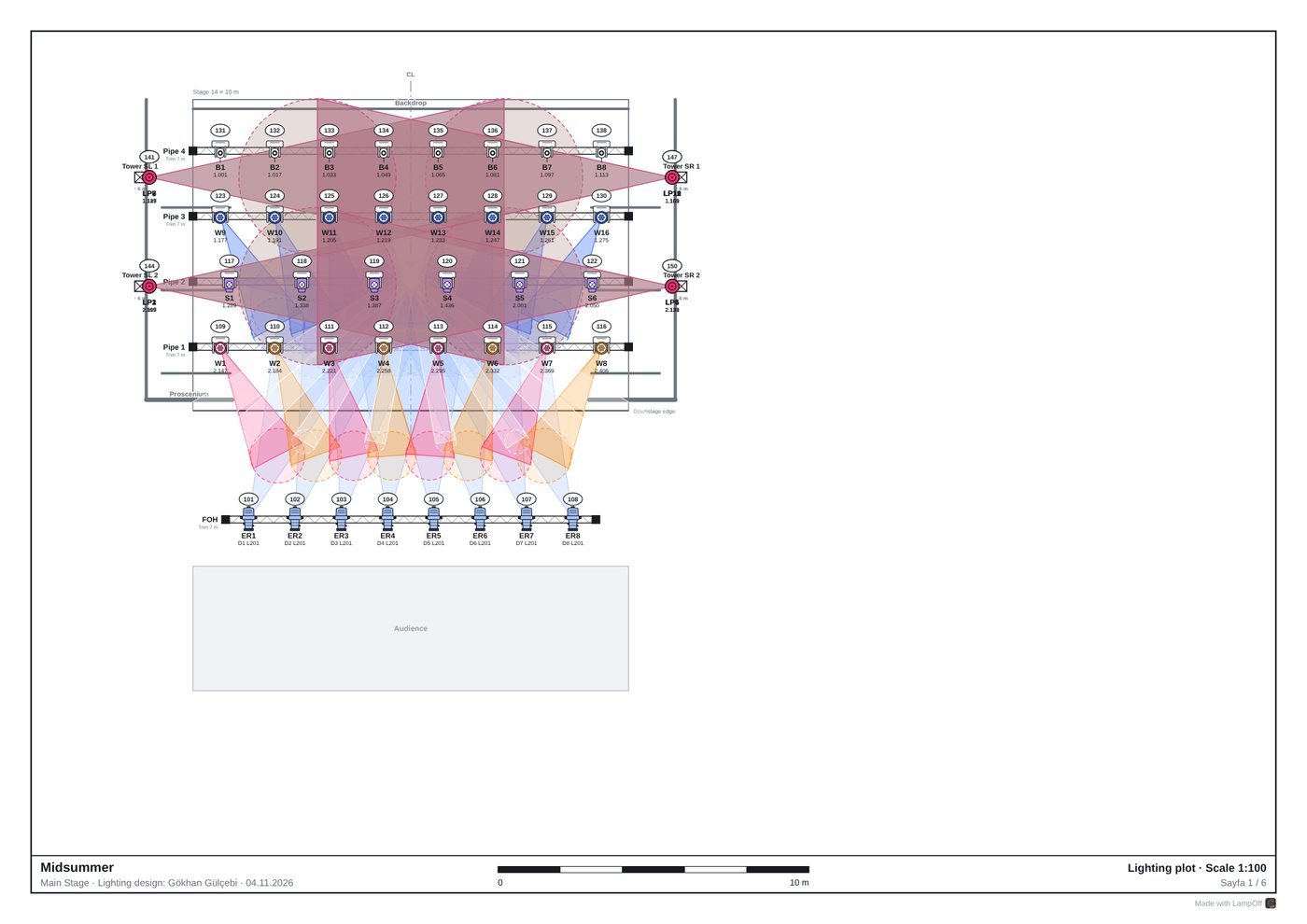
Stage dimensions, pipes, booms and upright towers are defined at true scale. Every fixture sits on the plot with its unit number, channel, DMX address and colour, and beams and focus areas can be shown on the same drawing.

  • Proscenium, black box and arena templates
  • Thousands of fixture models with modes and channel maps
  • GDTF and Open Fixture Library support
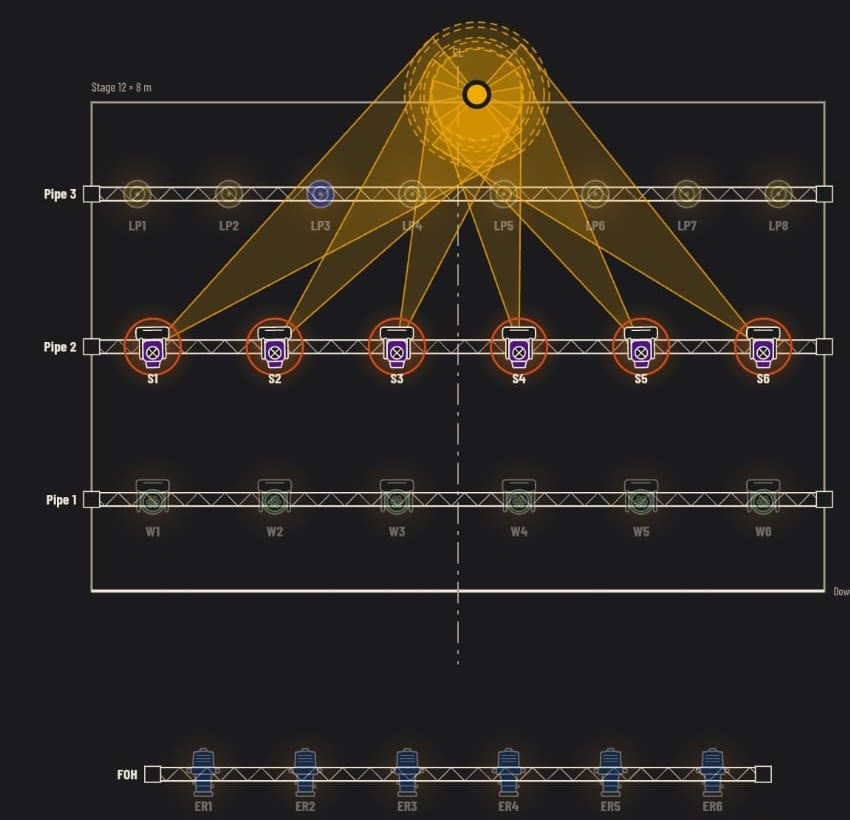
The same plot on the 3D stageLighting plot with spot focus points2D plot3D

Elevations

Front and side views

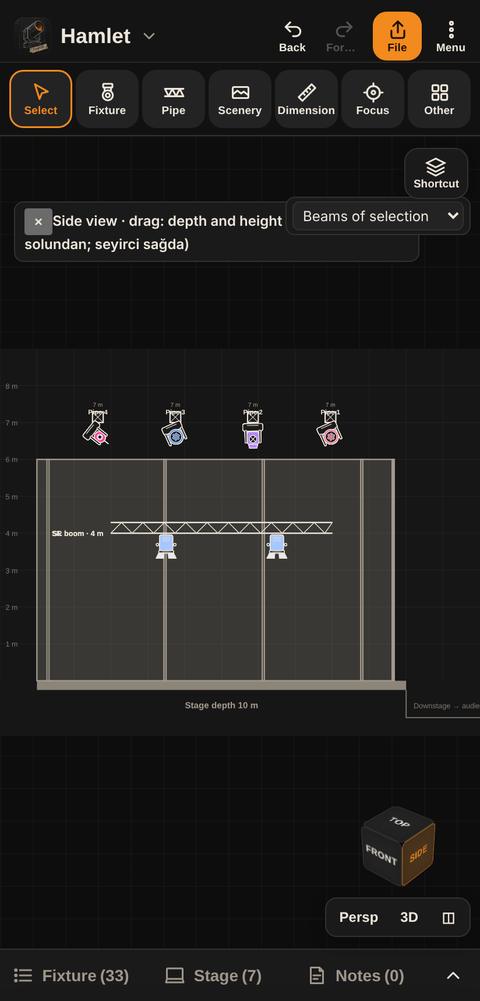
Tower and pipe heights are edited directly in the front and side views, and side and back light angles are read against the height of the stage.

  • Fixture heights on upright towers
  • View cube on the plot for switching views
  • Manual dimension values
Side view: pipe heights and tower

3D

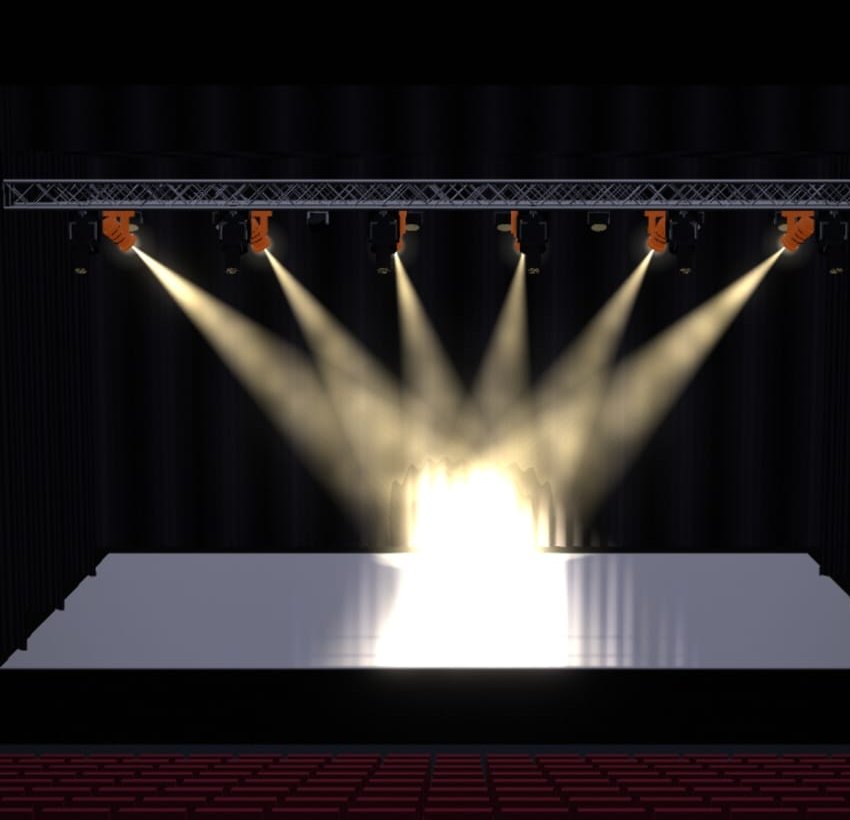
3D stage with haze

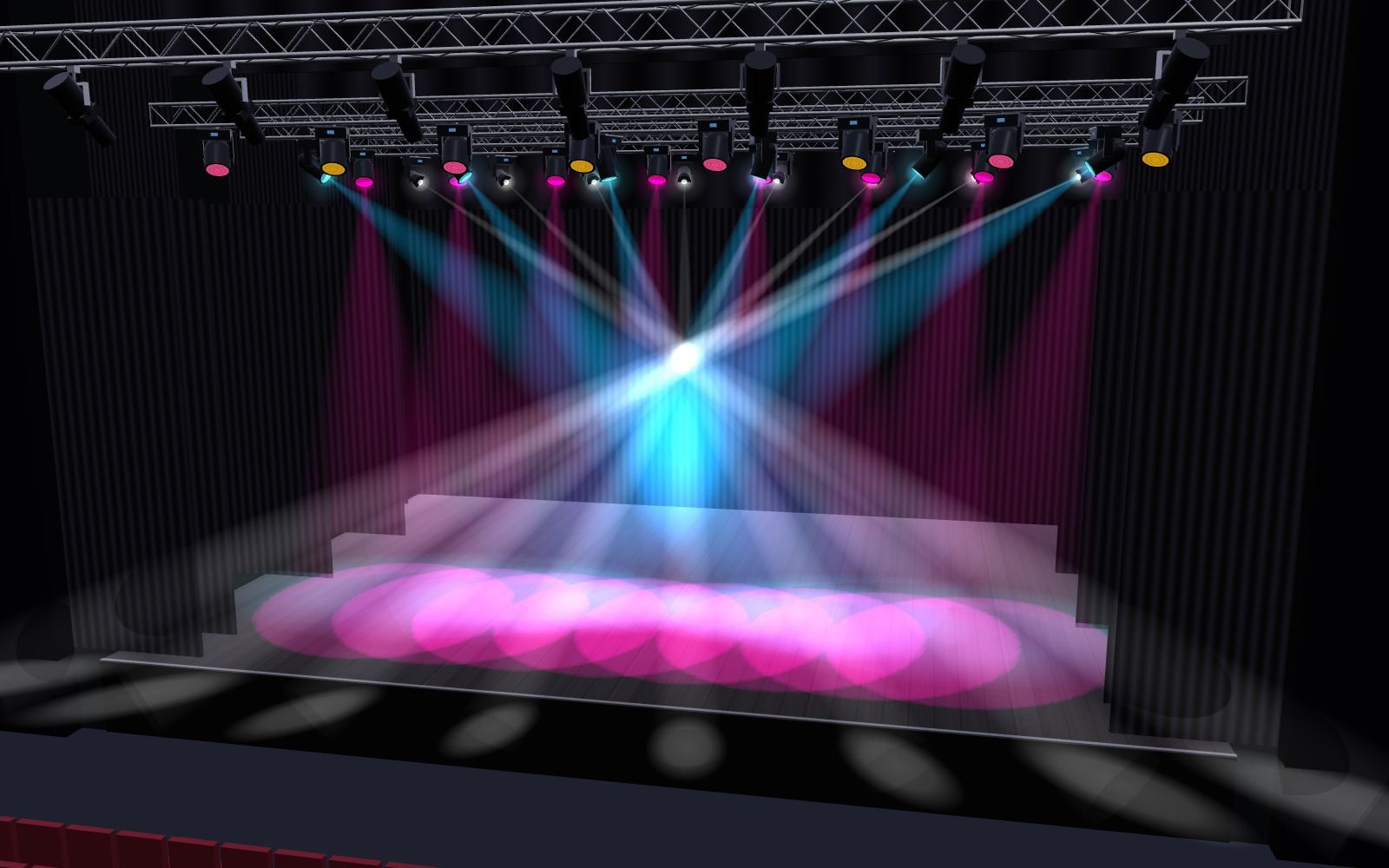
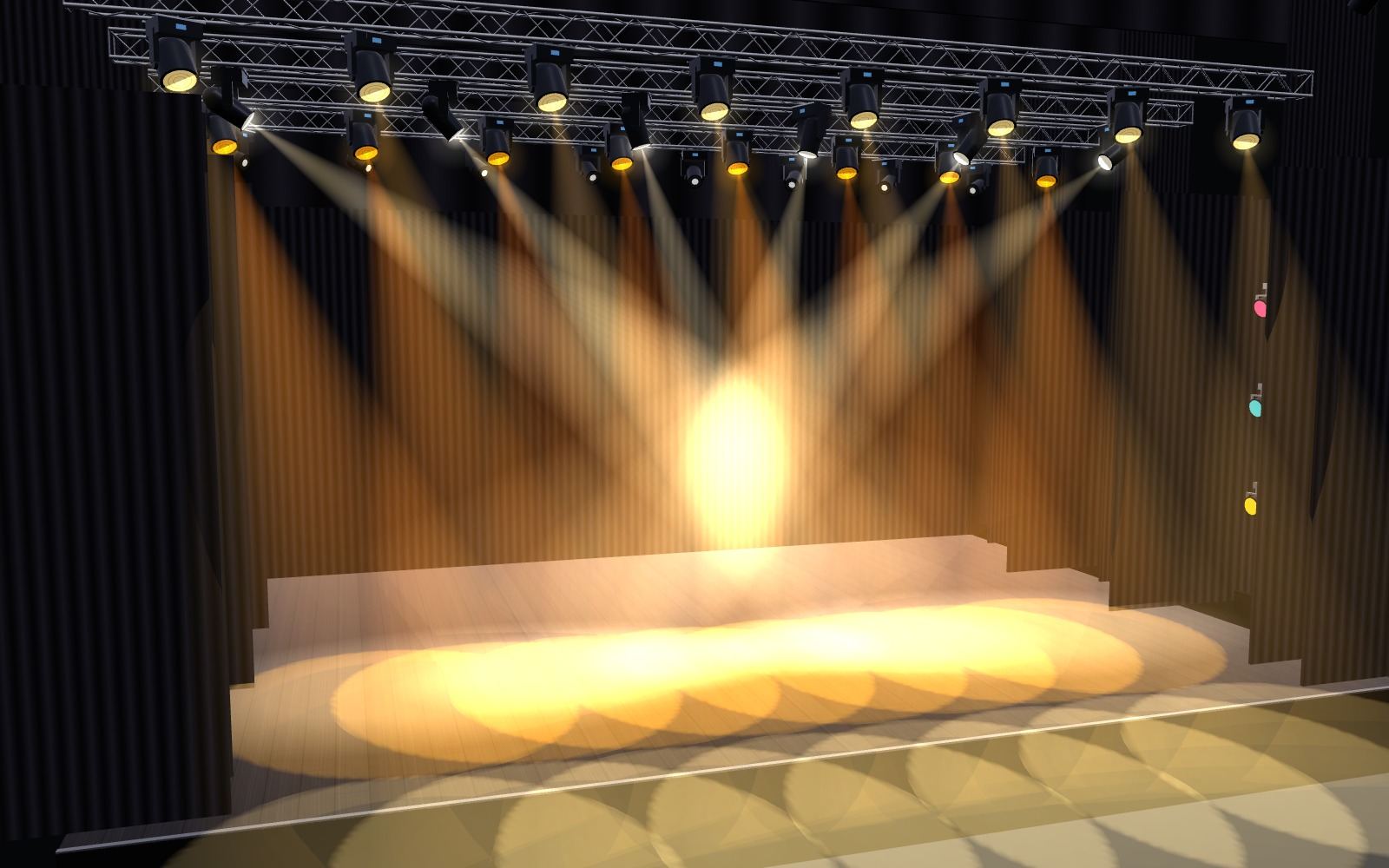
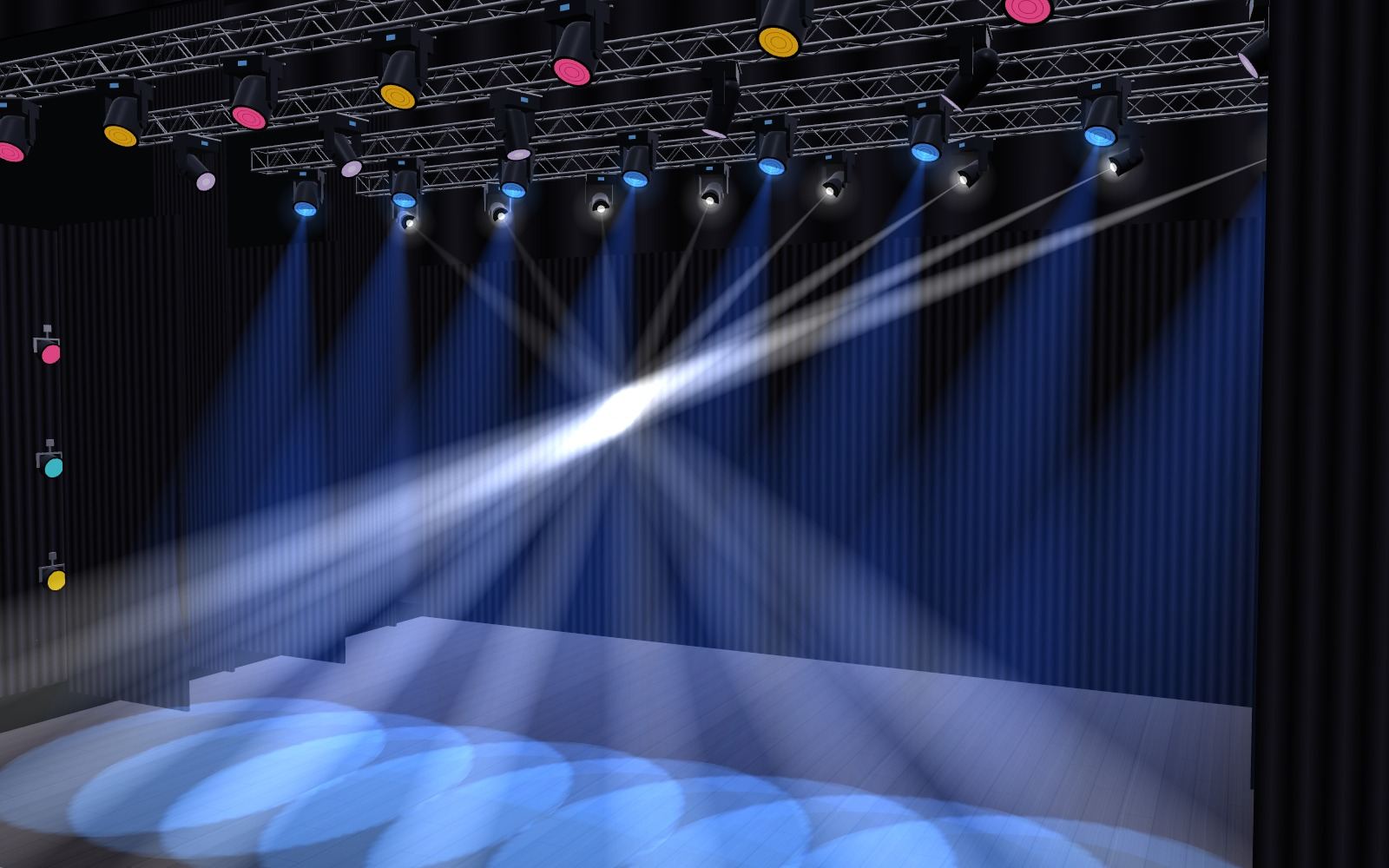
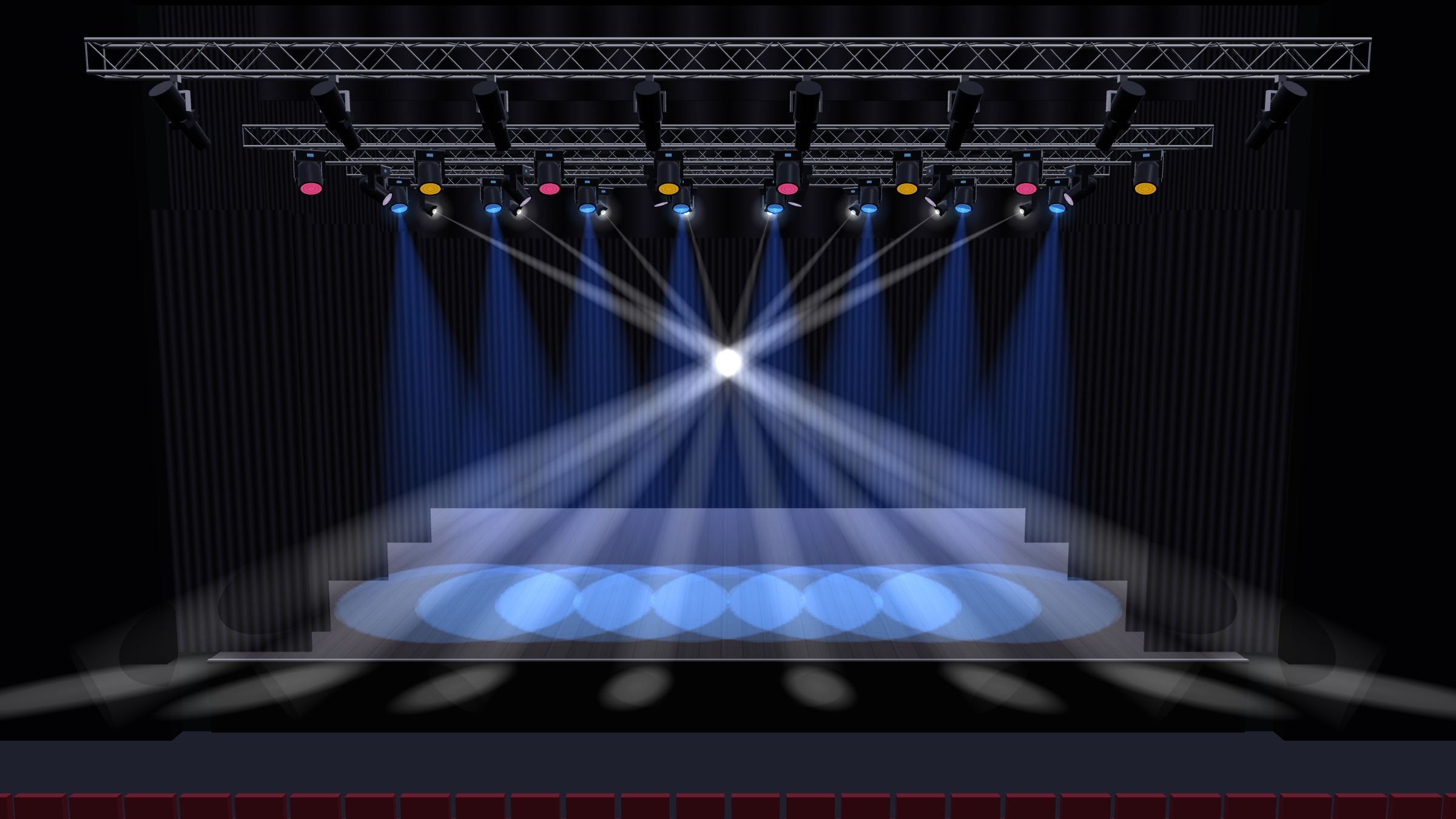
The plot is built as a 3D stage at true scale. Beams stop where they hit a curtain, scenery or a performer; haze density, house light, stage floor, legs, borders and a cyclorama set the look before the rehearsal.

  • Colour, gobo, zoom, frost and prism
  • House centre, stage-to-house, top and side viewpoints
  • Performer figure, presentation mode and high-resolution images
Backlight · blueMagenta and cyanAmberLow angle

Patch and focus

Patch list and focus mode

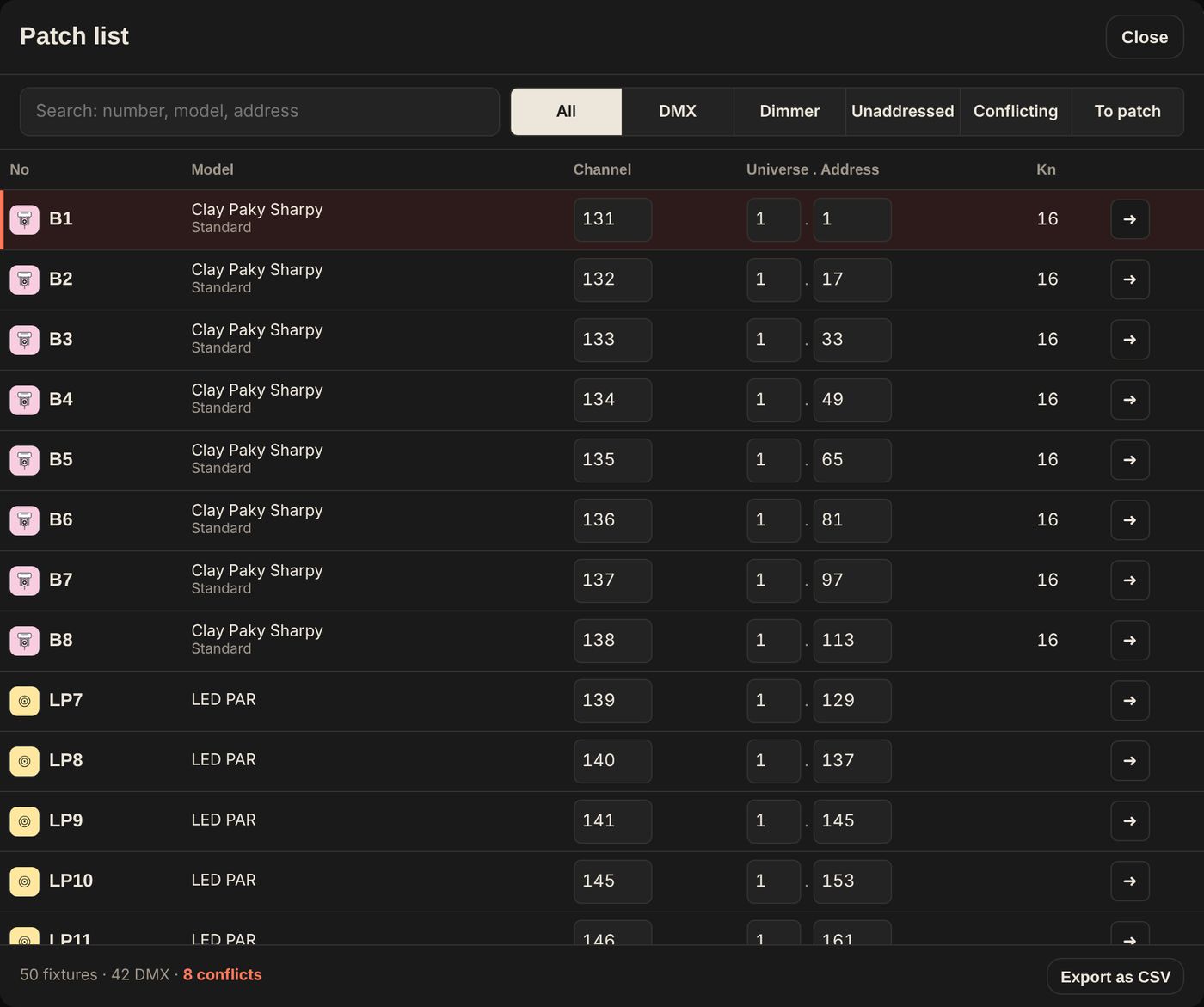
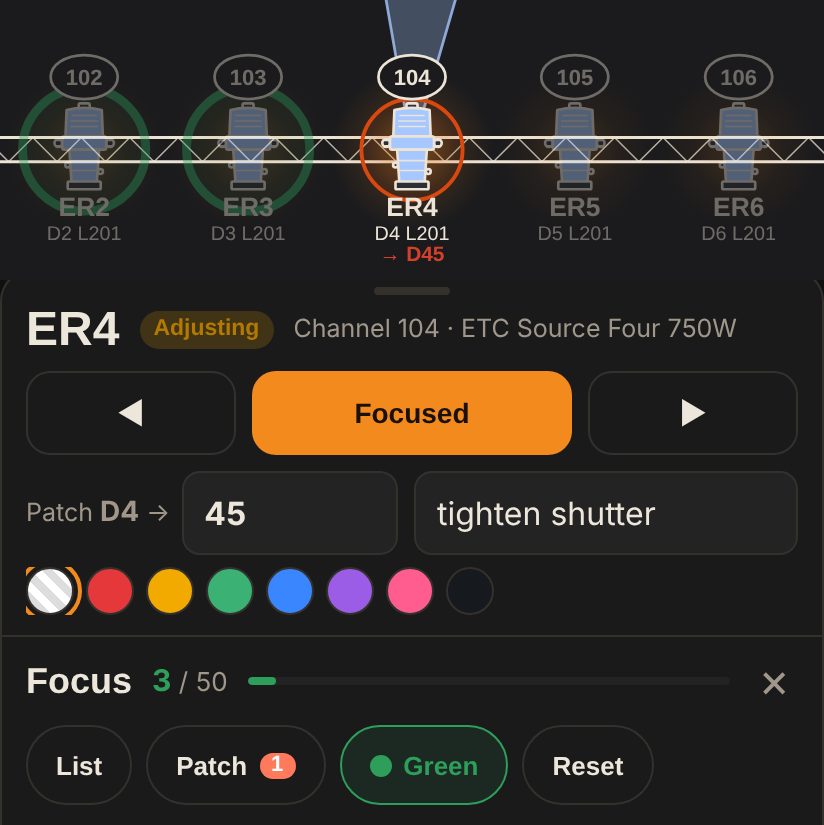
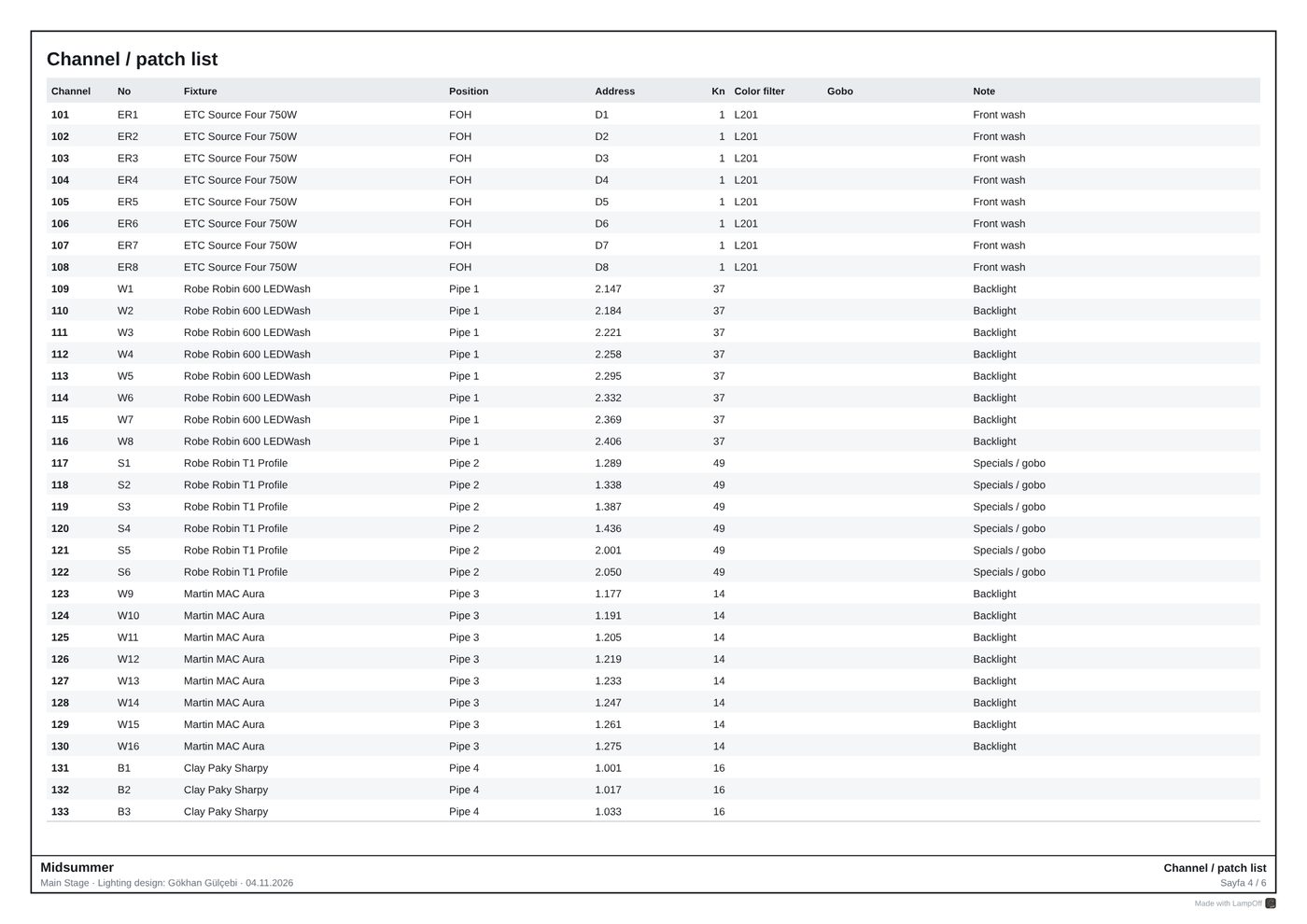
Universe usage, address conflicts and unaddressed fixtures are tracked in one list. Focus mode follows the focus call unit by unit, and changed circuits and notes are stored with each fixture.

  • Auto patch
  • Conflict and missing-address warnings
  • Status marker for focused units
Patch list
Focus mode

Rider

Riders and console export

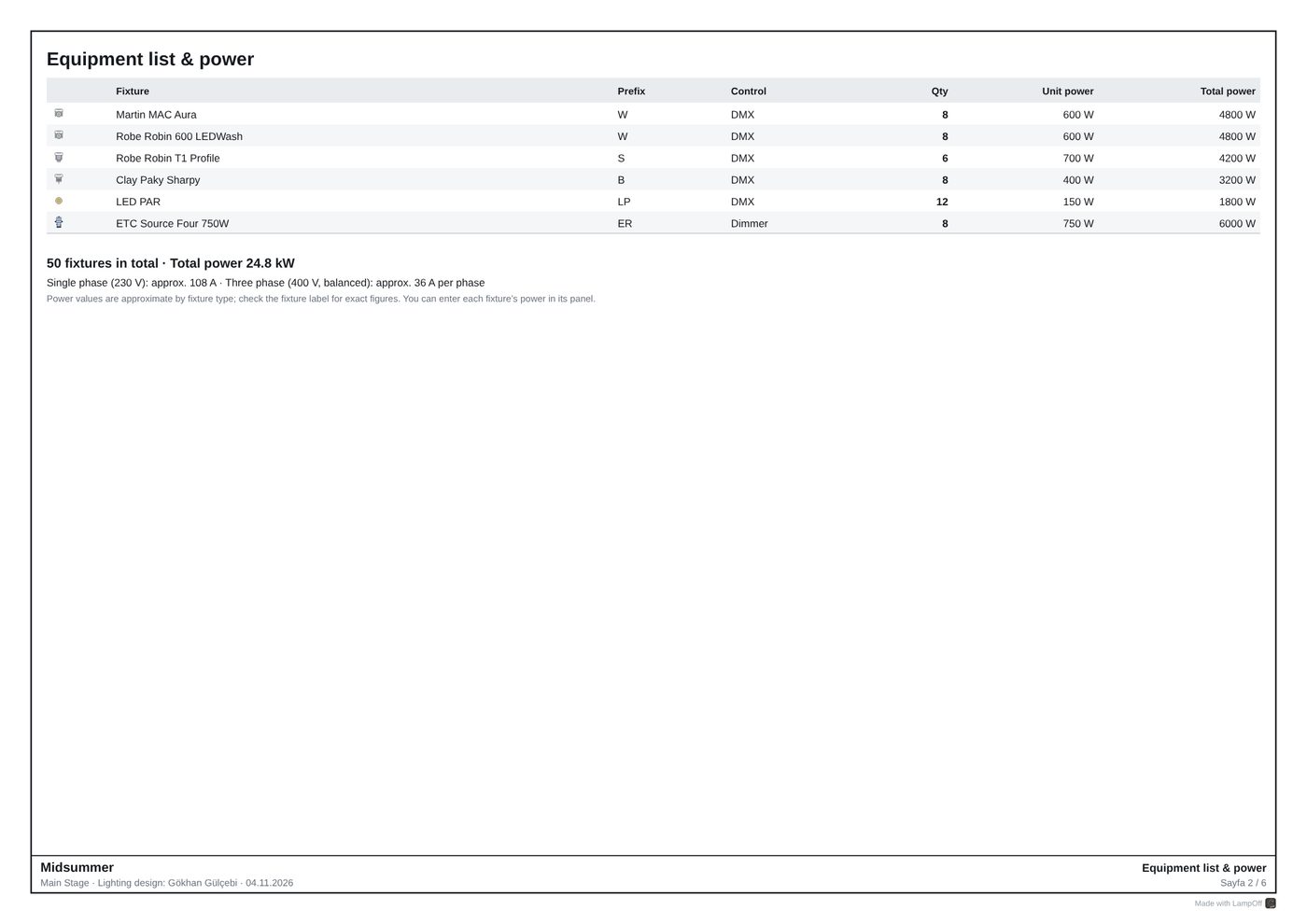
The rider PDF collects the scaled plot, equipment list and power per phase, pipe loads, channel hookup, instrument schedule, magic sheet and gel cut list in one document. Patch data is exported to consoles as MVR, grandMA2 XML, USITT ASCII and CSV.

  • Throw distance, beam diameter and approximate lux for every unit
  • Scaled plots on A4, A3 and A2 with revision info
  • MVR compatible with grandMA3, ETC Eos, Vectorworks and Capture
  • Sample rider PDF

Sightlines

Masking, from the audience’s eyes

The side view draws the borders and the eye lines of the first and last rows. As the border trim changes, any pipe the audience can see is flagged; the 3D view uses the same borders and legs.

  • First and last row distance and eye height
  • A border placed downstage of every pipe
  • Warning on visible pipes

Sample project · Midsummer

50fixtures
926DMX channels
2universes
24.8kW total power
744kg hung load
11rider pages

Paperwork

A tour-ready paperwork set

Every page, from the scaled plot to the magic sheet, comes from the same project, with the revision printed at the foot of each page.

Sample rider PDF · 11 pages

Team and compatibility

Revisions

The current state of the plot is saved; compared with a file from the assistant or electrician, changed channels, addresses, gels and focus are listed.

Two-way MVR

Focus points, colour, gobo, channel and tower heights travel both ways with Vectorworks, grandMA3 and Capture.

Offline, no account

Projects stay on the device. It works under the stage, with no internet.

Phone and tablet

The same project file opens on any Android phone or tablet, and soon on iPhone and iPad.

Specifications

Platforms
Android (Google Play, closed beta testing), iOS and iPadOS (App Store, coming soon), Windows and macOS (coming soon)
Version
7.12.0 · 5 November 2026 · Android 7.0 or later
Languages
English, Turkish
Export
Rider PDF, MVR, grandMA2 patch XML, USITT ASCII, CSV, project backup (.json)
Paperwork
Scaled plot, front and side views, equipment and power list, pipe loads, channel hookup, instrument schedule, magic sheet, gel cut list, focus charts
Import
PDF lighting plot, MVR, CSV, GDTF, Open Fixture Library
Fixture library
Thousands of models, with modes and channel maps
Data storage
Projects stay on the device; no account, no server
Licence
Free, no ads

Platforms

The same project file opens on phone and tablet.

Android Beta

For Android phones and tablets, in closed beta testing on Google Play. Joining is by email.

Google Play · beta

iPhone and iPad

The iPhone and iPad version is being prepared for the App Store.

App Store · coming soon

Windows and macOS

The desktop version is in preparation and will be announced on this site.

Desktop · coming soon

Download and installation details →

Frequently asked questions

Is the LampOff mobile app free?

Yes. The mobile app is free, with no ads and no account required.

How does joining the beta work?

The Gmail address used on Google Play is sent to lampoff.info@gmail.com. Once the address is on the test list, the app can be installed from Google Play. Details are on the Download page.

Is an internet connection required?

Not after the first visit. The internet is only used to download fixtures from the online library.

Where are projects stored?

Only on the device where they are used. A project can be exported as a .json file for backup or to move it to another device.

Which consoles does it work with?

MVR files are read by grandMA3, ETC Eos (Augment3d), Vectorworks and Capture. Patch XML is available for grandMA2, plus USITT ASCII and CSV for other systems.

Can plots from other programs be opened?

PDF lighting plots can be imported: the symbol key is read and fixtures are placed on the pipes by type. MVR and CSV files are supported as well.

How accurate are photometrics and loads?

Throw distance and beam diameter come from the plot, pipe trim and the fixture’s beam angle. Lux uses the luminous flux from the GDTF profile when available, otherwise an estimate for the fixture type marked with *. Pipe load adds fixture weights and clamps; cable and safeties are not included, so check the truss or pipe capacity against the manufacturer’s table.

Is there an iPhone and iPad version?

It is in preparation. The iPhone and iPad version is being prepared for the App Store and will be announced here when it is published.

Will there be a desktop version?

Yes. A Windows and macOS version is in preparation and will be announced on this site.

Is there a user guide?

An illustrated guide with examples is available in the app under ⋮ › Help, on the Guide page and as a PDF.